HD Image Enhancer
Enhance blurry, pixelated or low-resolution photos in one click.
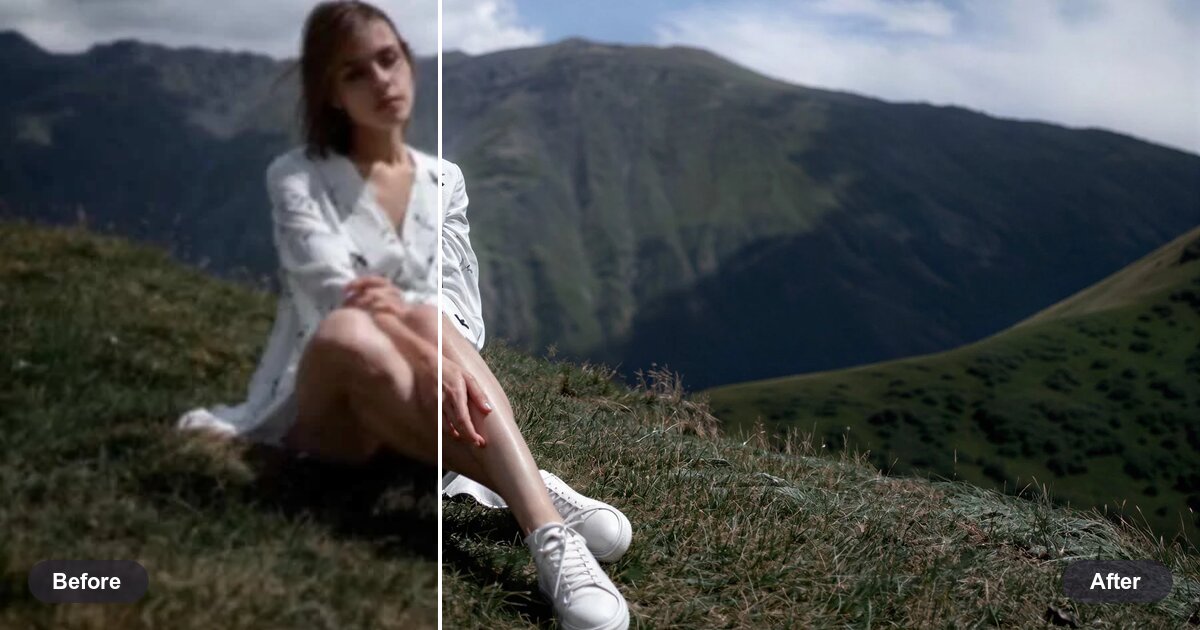
Enhance blurry, pixelated or low-resolution photos in one click.
HD Image Enhancer review
Who it's for
HD Image Enhancer is a browser-based design tool for improving soft, compressed or low-resolution images. It is aimed at people preparing product listings, refreshing old scanned photos, cleaning up screenshots or enlarging images for print. Support for mobile browsers and direct HEIC uploads also makes it practical for occasional phone-photo edits without installing an app.
Key features
- AI enhancement: The service targets blur, soft edges, noise and JPEG artifacts, with examples covering portraits, landscapes, scans and product photography.
- Resolution increases: Free processing supports output up to 4K. Paid plans offer 8K output, with the website also stating a maximum of 16K.
- Preview workflow: Upload an image, run enhancement and compare the preview side by side before downloading.
- Format support: Accepts JPG, JPEG, PNG, WEBP and HEIC files up to 25 MB. Downloads are available in PNG, JPG and WEBP.
- Paid batch processing: VIP users can upload up to 20 images at once.
- Browser access: Works in modern desktop and mobile browsers. The website estimates results in approximately 30 seconds.
- Stated privacy measures: The provider says files are encrypted in transit, deleted automatically after processing and not used to train its models.
Pricing
The free tier provides 20 credits daily without registration. At four credits per image, that covers five images per day, with credits resetting at 00:00 UTC. Signing in does not create a separate free allowance.
Paid plans unlock higher-resolution output and batch processing. Pricing is listed on the website; subscription amounts are not included in the supplied information.
Pros and cons
Pros - No account required for the daily free allowance. - HEIC input avoids a separate conversion step. - Side-by-side previews help users assess changes.
Cons - Batch processing requires a paid plan. - The relationship between paid 8K output and the stated 16K maximum is not explained. - Source quality limits the detail achievable, even at higher output resolutions.
Verdict
HD Image Enhancer offers a straightforward workflow for occasional image cleanup and enlargement. Its free allowance provides a useful starting point, but users should assess previews carefully: larger dimensions do not guarantee genuinely recovered detail.
HD Image Enhancer alternatives
Similar Design Tools tools listed on WebSoftReview.
- CameraWatermarkFree EXIF camera watermark & frame maker — elegant gallery styles, local-only processing.
- HEIC.bestFree online HEIC converter — JPG, PNG, PDF and viewer in your browser
- Free HEIC to JPG ConverterFree HEIC to JPG Converter
- OldPhotoLive AIRestore, colorize, and animate old family photos with AI.
- PinumoFree screenshot tool for Chrome and Windows
- Easy Tile CalculatorPreview tile rows and edge cuts before installing tile.
Questions & comments
Ask the maker of HD Image Enhancer a question or share your experience.
- No comments yet. Start the conversation.
Are you the maker of HD Image Enhancer?
Add this badge to your website so visitors can find your listing.

<a href="https://websoftreview.com/product/hd-image-enhancer" target="_blank" rel="noopener"><img src="https://websoftreview.com/badge.svg" alt="HD Image Enhancer on WebSoftReview" width="200" height="54" /></a>