Pinumo
Free screenshot tool for Chrome and Windows
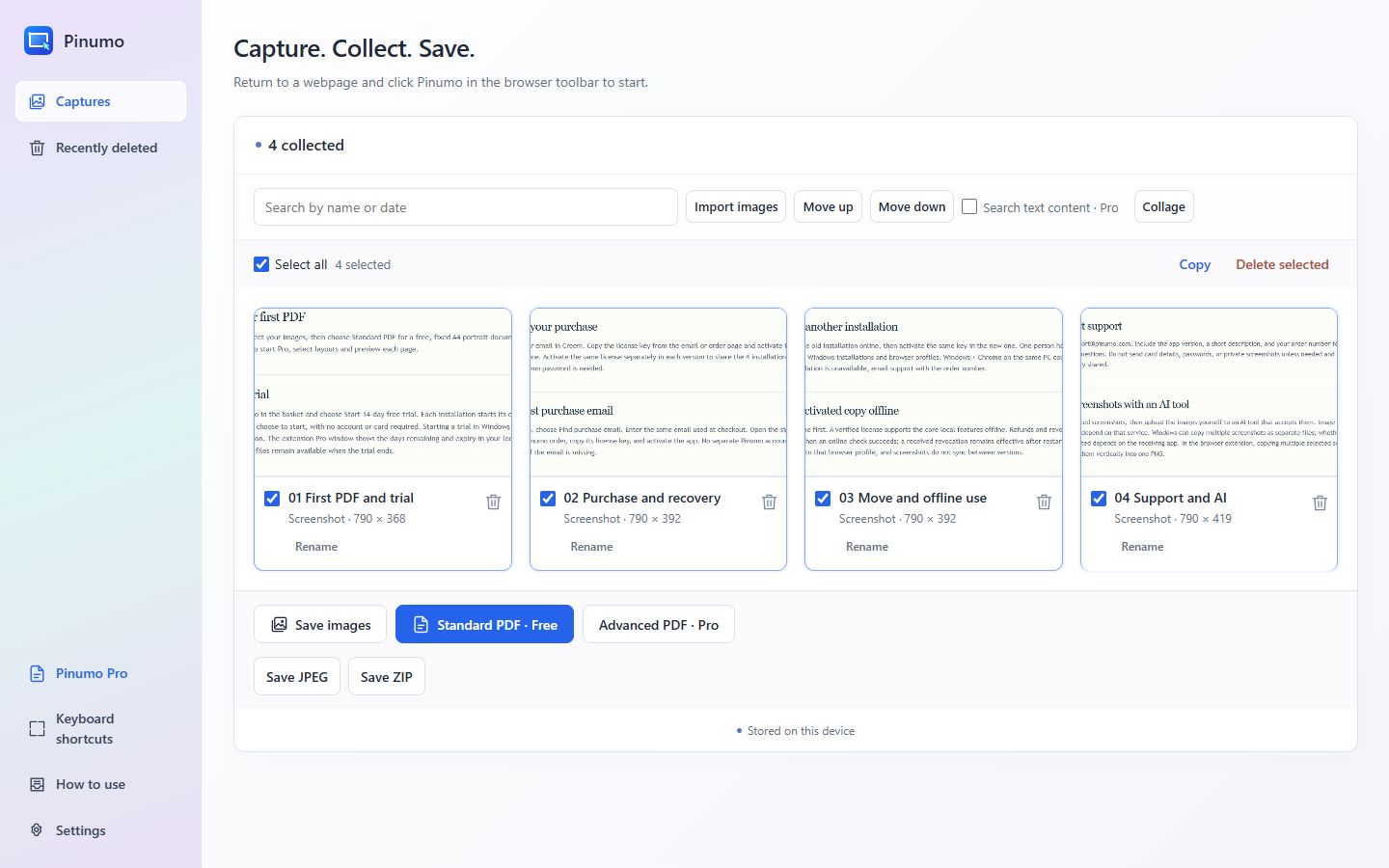
Pinumo is a free screenshot tool for Chrome, Edge, and Windows. Capture the visible page, a selected region, or a full webpage; on Windows you can also capture desktop apps. Shots stay in a collection while you keep browsing. When you are ready, save selected images as PNG, JPEG, or a ZIP, place them side by side or stacked, or export a standard A4 PDF with no watermark or daily limit. Crop, annotate, and use local Chinese and English OCR. Capture, editing, and export run on your device. Everyday tools are free. Pinumo is not an AI product; you can upload saved images to a tool of your choice. Pro is a separate one-time option.
Pinumo review
Who it's for
Pinumo suits people who collect visual references across webpages and need to turn them into comparisons, reports, or instructions. In the Design Tools category, its focus is screenshot capture and preparation rather than broader design work. Chrome and Edge users can collect webpage captures; the Windows app also captures desktop applications.
Key features
- Capture and collect: Capture a visible page, selected region, or full webpage, keeping screenshots together while browsing.
- Edit and annotate: Crop images, add arrows and highlights, cover private details, and resize or compress individual screenshots for upload requirements.
- Batch export: Save selected captures as PNGs, JPEGs, or a ZIP. Combine images horizontally for comparisons or vertically for sequences.
- PDF creation: Export standard A4 PDFs, with long screenshots split across pages automatically. Free standard exports have no watermark or daily quota.
- Local OCR: Extract Chinese and English text on-device. Pro adds proofreading beside the original image and recognized-text search.
- Local processing: Capture, annotation, OCR, and PDF export run locally. Pinumo is not an AI product; saved images can be uploaded separately to a user’s chosen tool.
Pricing
Everyday capture, editing, batch saving, image joining, OCR, and standard PDF export are free.
Pro costs US$19 as a one-time payment, with no automatic renewal and four installation slots shared across Windows installations and browser profiles. It adds grid layouts, background and shadow controls, and PDF previews with one, two, or four images per page. A 14-day trial requires neither registration nor a payment card. Applicable taxes appear at checkout.
Pros and cons
Pros - Broad free workflow, including batch exports and unwatermarked standard PDFs. - Local processing for core screenshot tasks. - One-time Pro option rather than automatic renewal.
Cons - The Windows download is unsigned and may trigger a publisher warning. - Edge ZIP installation requires Developer mode and manual loading. - Multi-image copying differs: the extension produces one vertical PNG; Windows can copy multiple image files to compatible apps.
Verdict
Pinumo is a practical option for collecting screenshots and packaging them together. Its free tools cover everyday preparation, while Pro targets more controlled layouts and OCR review.
Pinumo alternatives
Similar Design Tools tools listed on WebSoftReview.
- CameraWatermarkFree EXIF camera watermark & frame maker — elegant gallery styles, local-only processing.
- HEIC.bestFree online HEIC converter — JPG, PNG, PDF and viewer in your browser
- Free HEIC to JPG ConverterFree HEIC to JPG Converter
- OldPhotoLive AIRestore, colorize, and animate old family photos with AI.
- Easy Tile CalculatorPreview tile rows and edge cuts before installing tile.
- HD Image EnhancerEnhance blurry, pixelated or low-resolution photos in one click.
Questions & comments
Ask the maker of Pinumo a question or share your experience.
- No comments yet. Start the conversation.
Are you the maker of Pinumo?
Add this badge to your website so visitors can find your listing.

<a href="https://websoftreview.com/product/pinumo" target="_blank" rel="noopener"><img src="https://websoftreview.com/badge.svg" alt="Pinumo on WebSoftReview" width="200" height="54" /></a>